Kritika Singh

Proofroom

Making AI review feel like a trusted collaborator, not a black box.

Role
Lead UX Designer at Gravitad
When
2024–2026
Platforms
Desktop and mobile
Made with
Figma, Claude, Cursor

Starting point

Video production teams were losing days getting feedback to the right people. Twelve interviews across two studios showed the problem wasn't review quality but access: who needed to see what, and when. I designed three AI features to close that gap: tagging footage, comparing versions, and routing reviews.

Outcome

A review workspace where the AI does the sorting but people stay in charge. It shows how sure it is, and it asks before anything reaches another person. After four rounds of usability testing, editing cycles were 65% faster and task completion reached 92%.
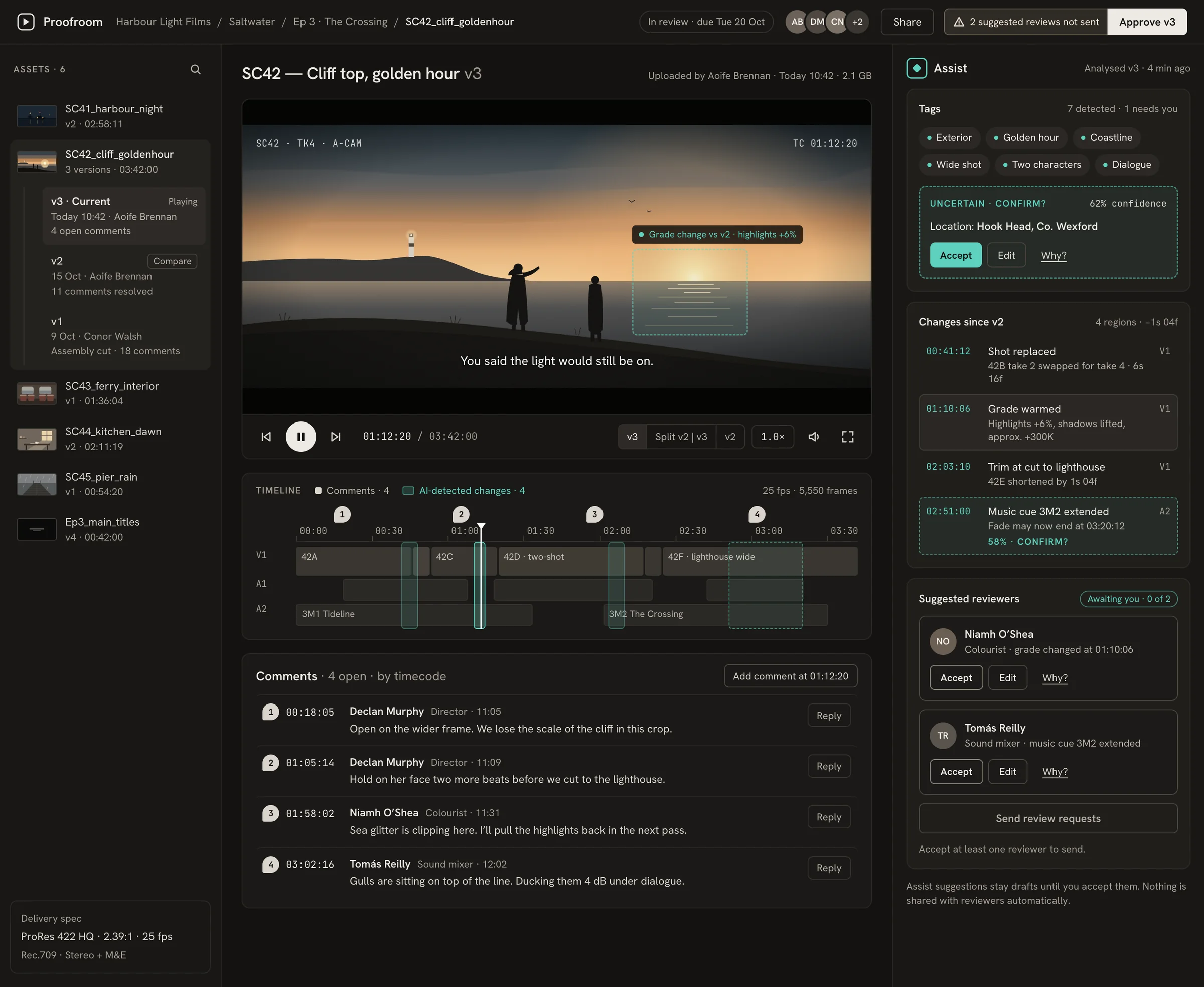
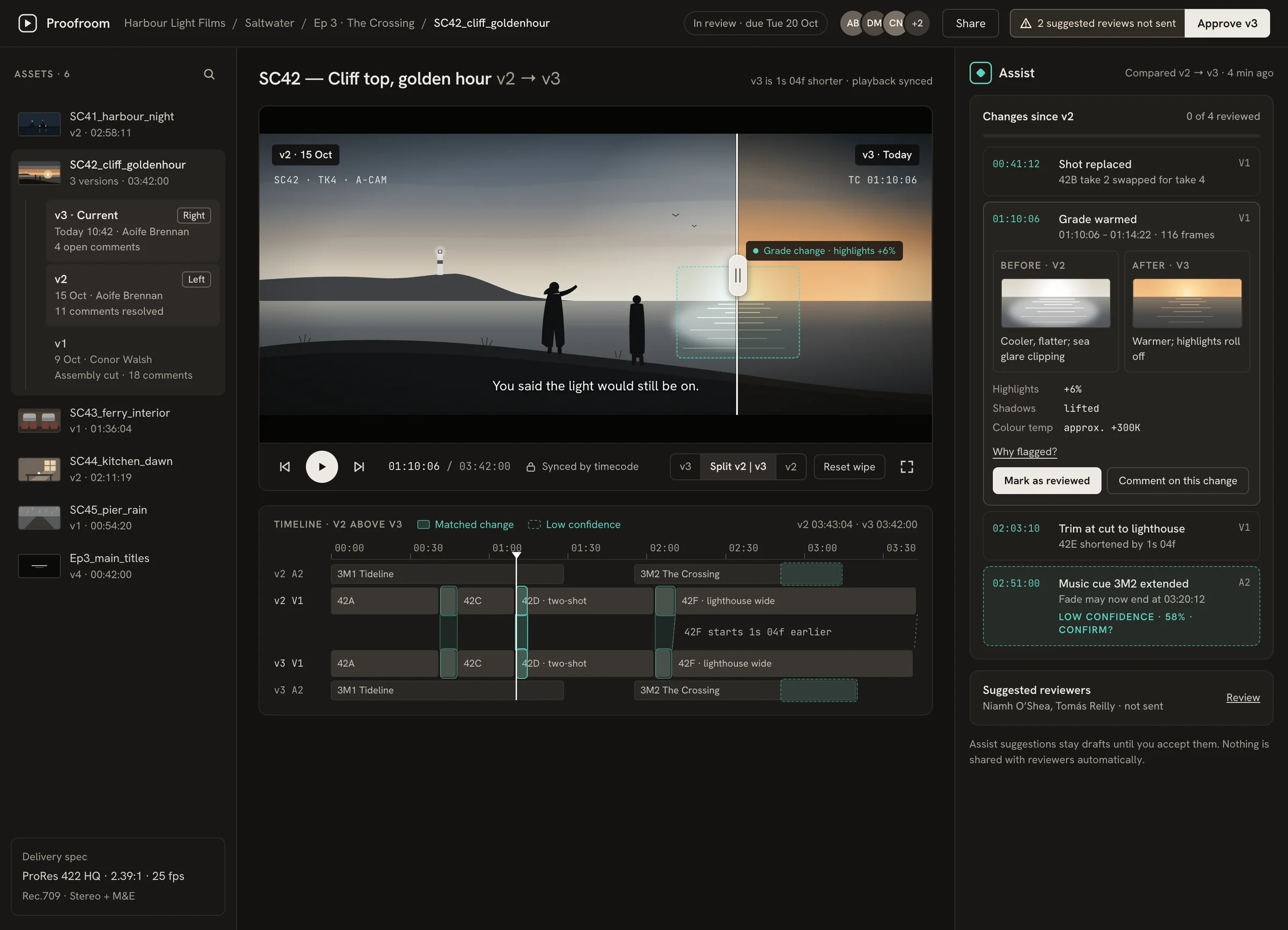
The review workspace. Versions on the left, the player and a timeline marking four AI-detected changes in the centre, and the Assist panel on the right.
The review workspace. Everything the AI found lives in one panel, in one colour, so people learn that teal means "the AI did this".

When the AI acts, and when it asks

Every AI suggestion follows two questions: how sure is it, and would acting reach anyone besides you? The answers decide whether it acts quietly, asks first, or waits.

Confident Unsure Only affects you

Applies it quietly

No score shown. One click to undo.

Tags like Exterior, Golden hour

Asks you to confirm

Shows its confidence, explains why, and lets you fix it.

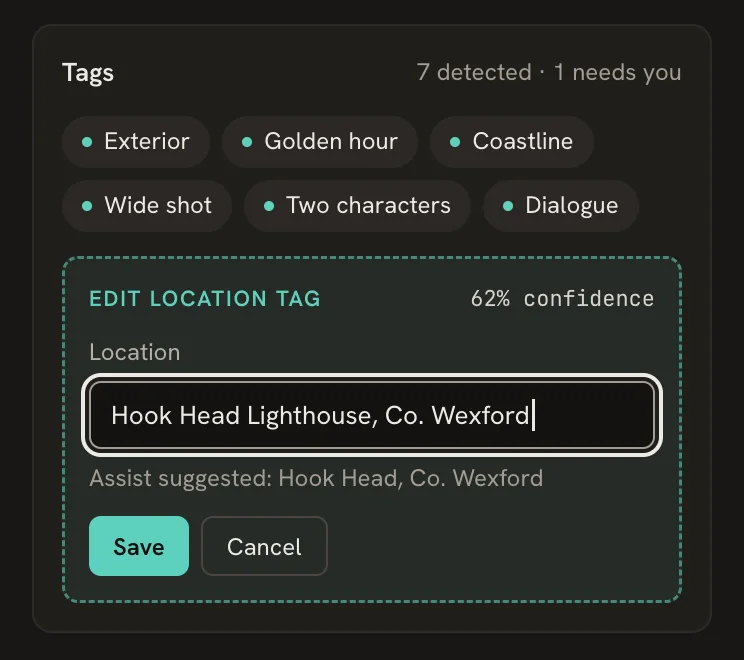
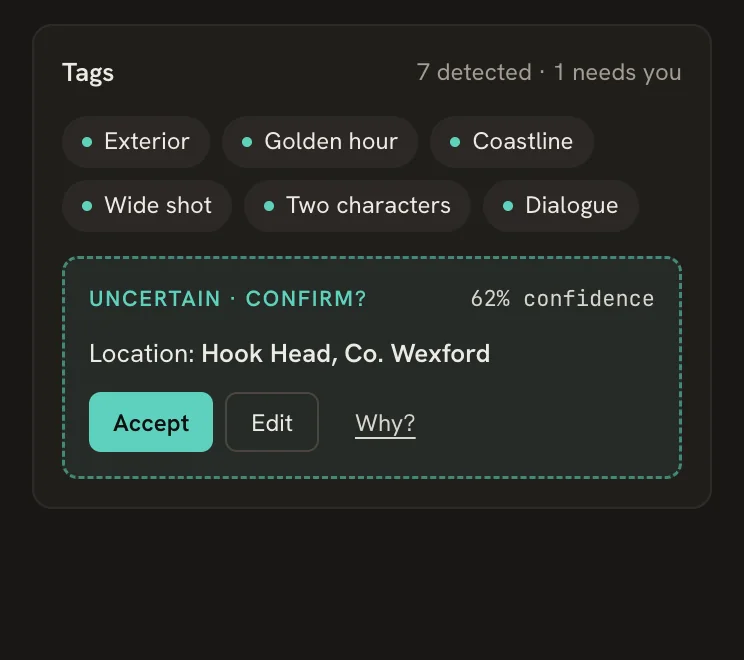
Location tag at 62%
Reaches other people

Drafts it, then waits

Nothing is sent until you accept.

Suggested reviewers

Flags it, suggests nothing

Points at the change and leaves the decision to you.

Music cue change at 58%
Tags card with an uncertain location tag, Hook Head, at 62% confidence, and Accept, Edit and Why options.
1The AI isn't sure, so it says so and asks.
The location tag being edited to Hook Head Lighthouse, with the AI's original suggestion shown underneath.
2You correct it. Its original guess stays visible.
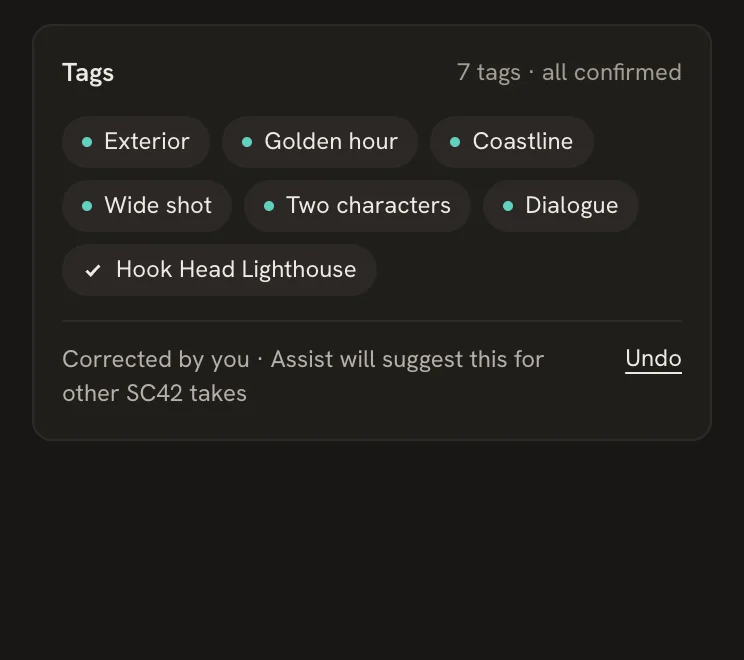
The corrected tag marked with a check, and a note that Assist will suggest it for other takes, with Undo.
3It remembers the fix for the next takes, and you can undo it.
Header with an Approve v3 button and a warning beside it: 2 suggested reviews not sent.
Approving is never blocked, but the button tells you what's still open.
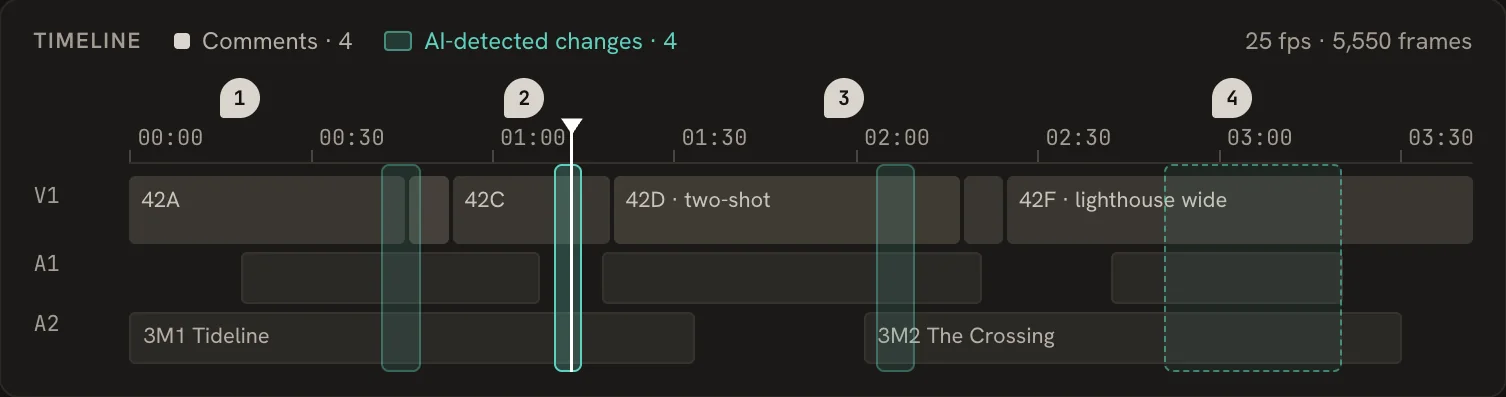
Timeline with numbered comment markers above and teal bands marking four AI-detected changes across video and audio tracks.
Comments and AI findings share one timeline, so you can see where people and the AI noticed the same thing. The dashed band is the one change it isn't sure about.

Seeing what changed between versions

Comparing cuts used to mean watching both versions and taking notes. Now a wipe shows them side by side, and the AI lines up every change on a shared timeline.

Version comparison. A wipe splits the frame: v2 on the left is cool with blown sea glare, v3 on the right is warm. Below, v2 and v3 timelines are stacked with matched changes linked.
The wipe sits on the grade change, so the problem in v2 and the fix in v3 are visible in one frame.

Approving from anywhere

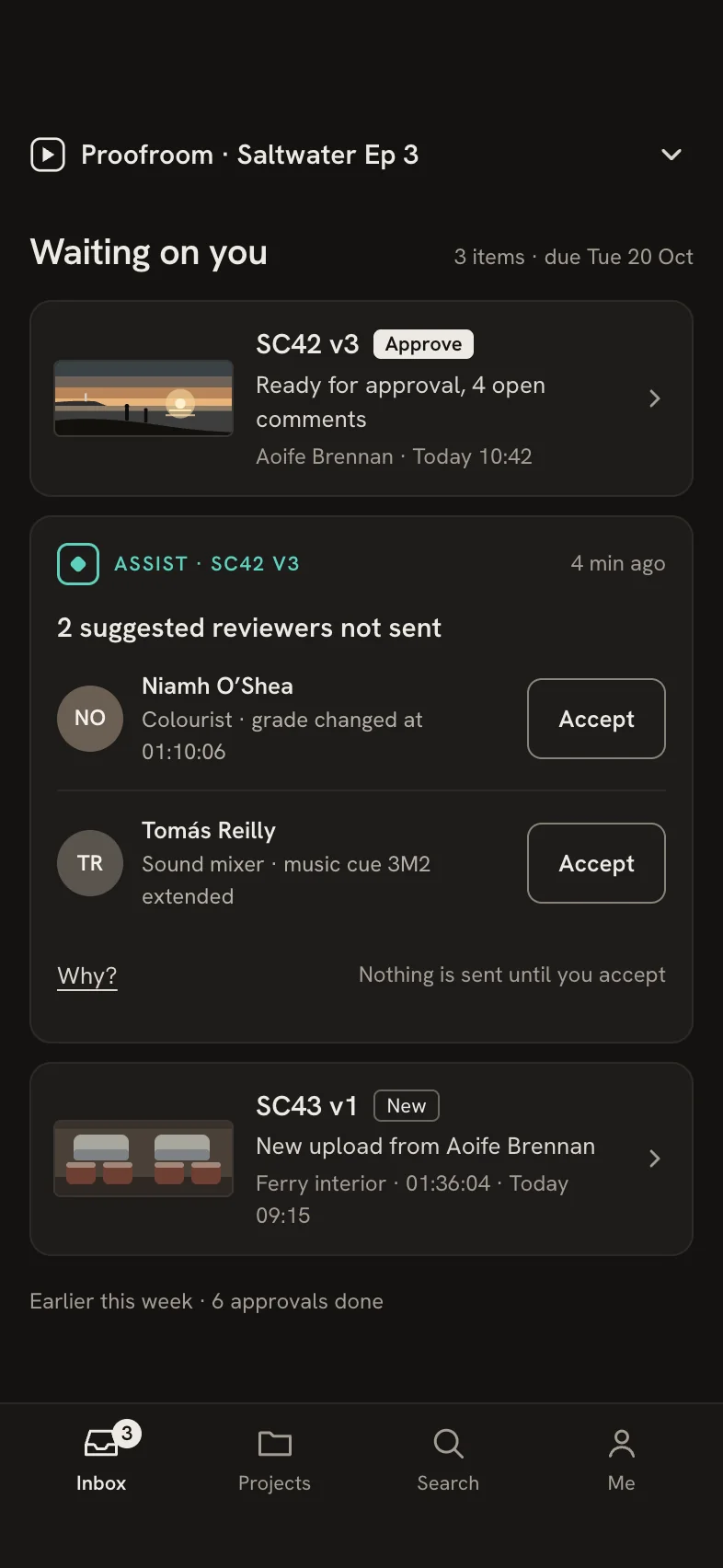
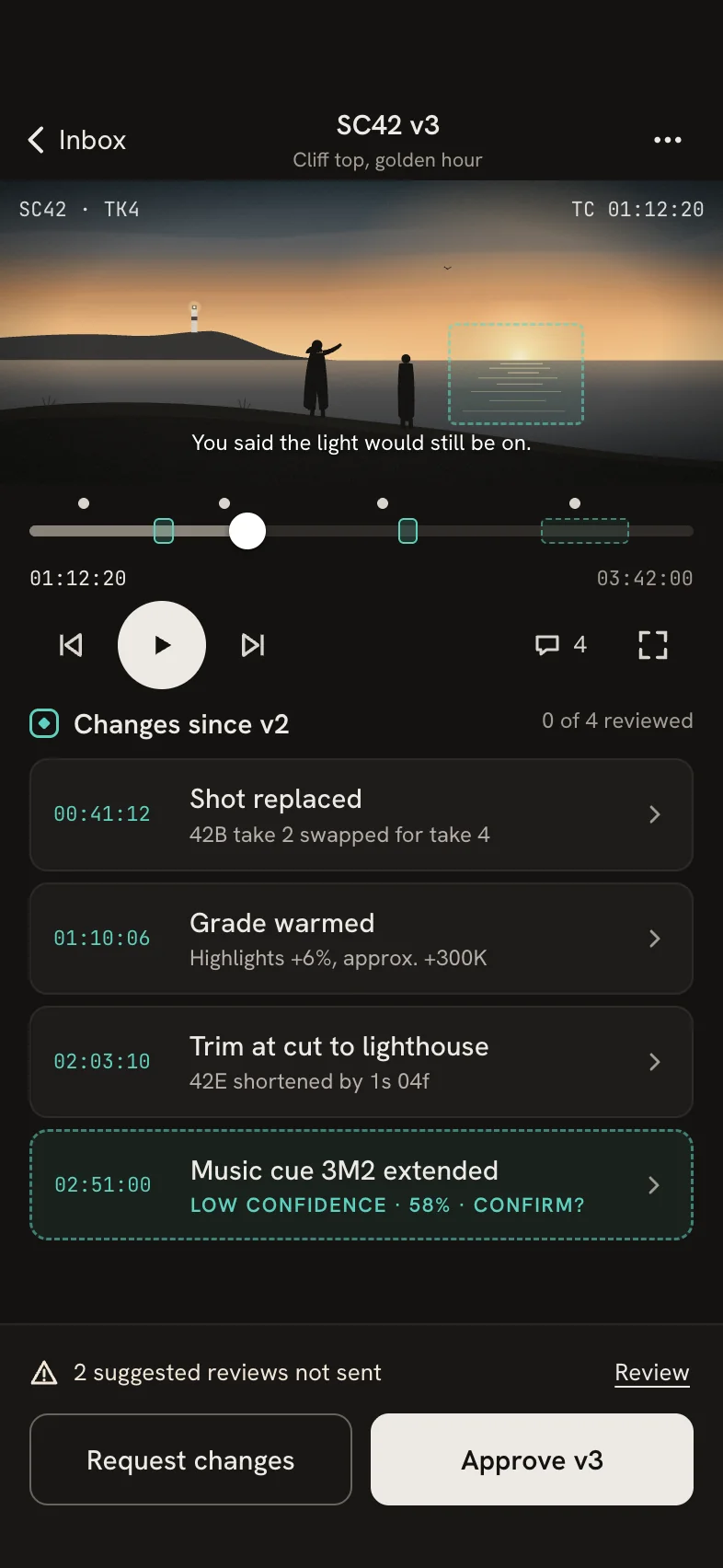
Producers approve cuts between meetings and on set. The phone app keeps the same rules as the desktop: the AI's drafts wait for you, and approval tells you what's still open.

Mobile inbox titled Waiting on you, with SC42 v3 ready for approval, an Assist card with two suggested reviewers, and a new upload. Mobile review of SC42 v3 with the film frame, a scrubber marking comments and changes, the list of changes since v2, and Approve and Request changes buttons.
Part of the revisited version: the original was desktop only.